
- AI Real-Time Translation on a Single Smartphone: Where We Are in 2026 — and Where We’re Headed
- What You Can Do Today
- The Part That’s Still Unfinished: Truly Natural, Screen-Free Conversation
- The Reality of Cost and Accuracy
- The Four Bottlenecks Right Now
- How Far Will This Go?
- How Individuals Should Get Started
- How Organizations Should Roll This Out
AI Real-Time Translation on a Single Smartphone: Where We Are in 2026 — and Where We’re Headed
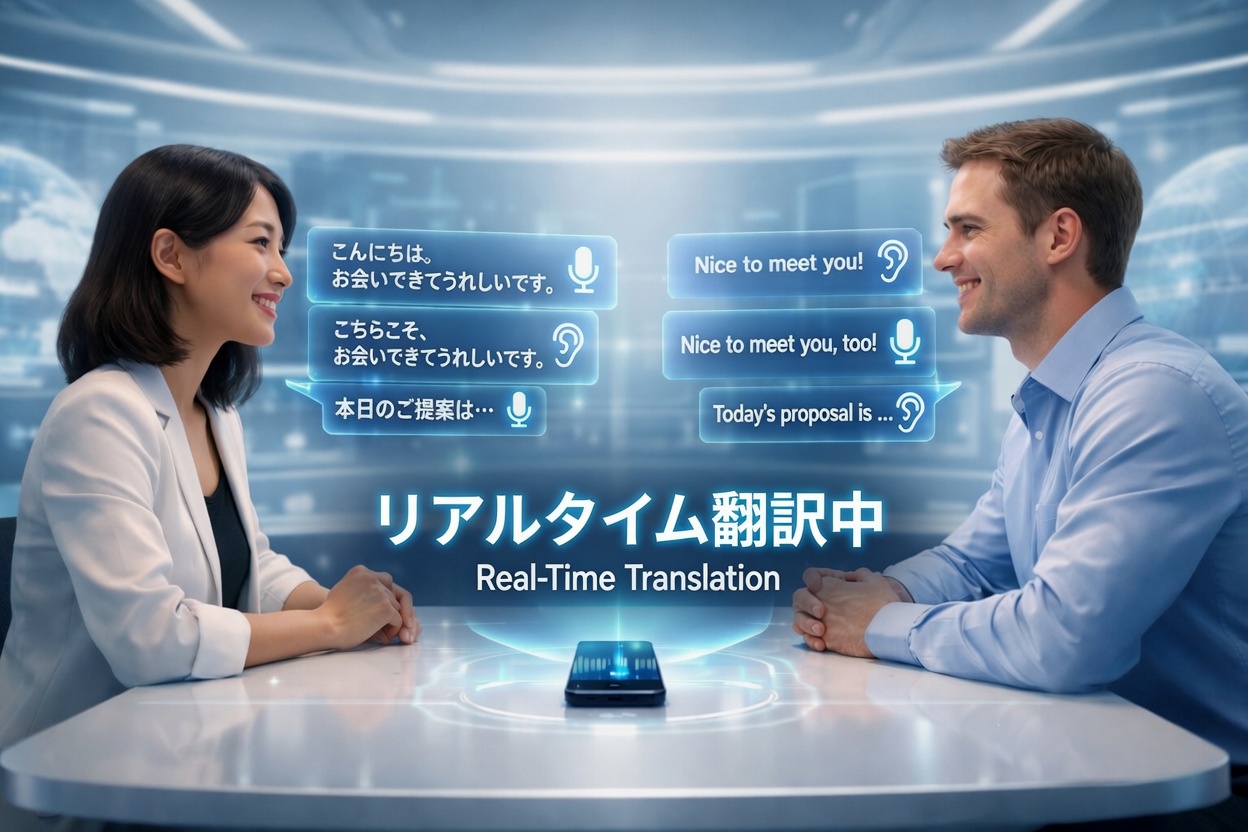
As of 2026, a Japanese speaker and an English speaker can sit across a table with one smartphone between them and hold a genuine conversation — and it works well enough to be considered practical.
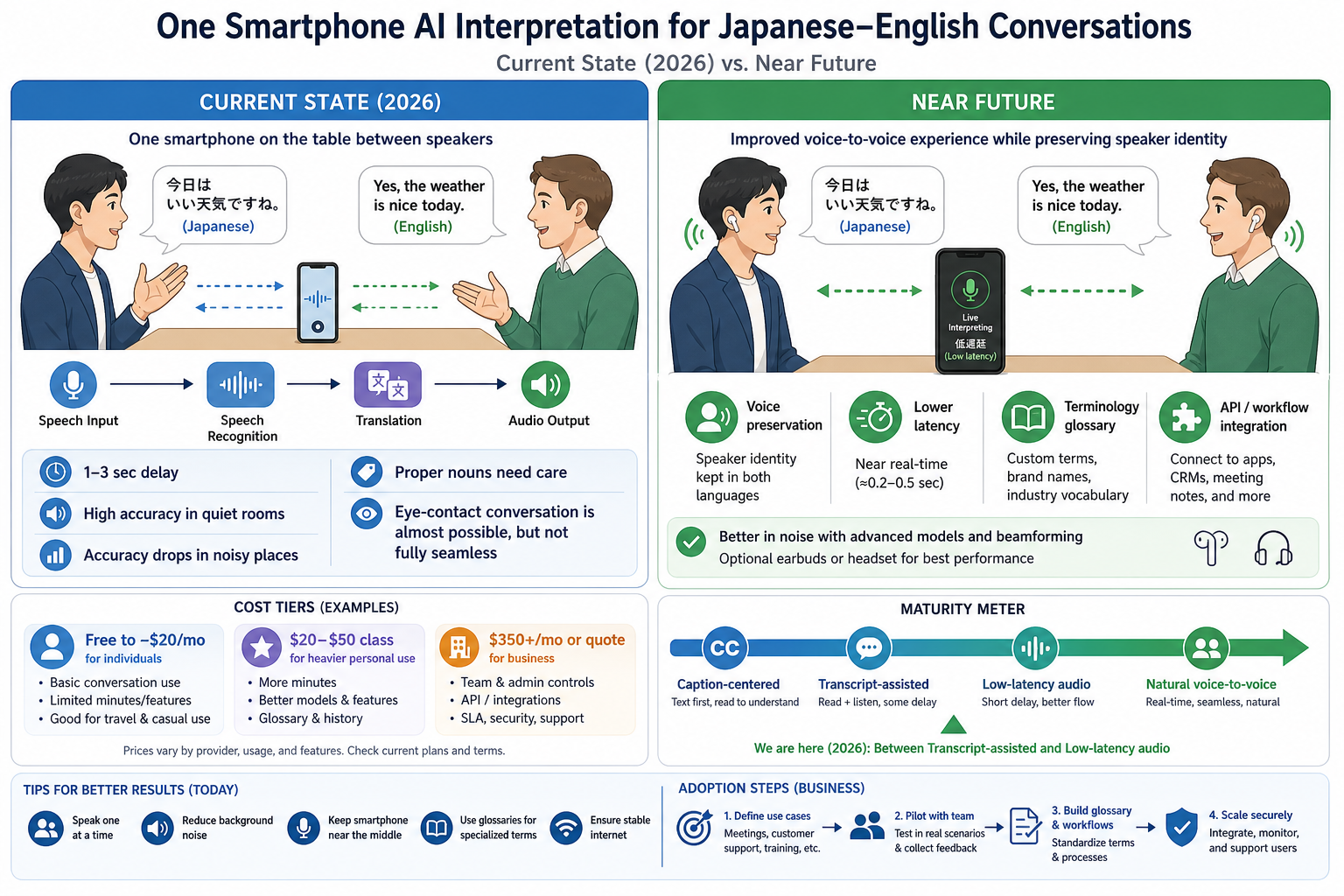
That said, “practical” doesn’t mean zero-latency, near-zero-error, simultaneous interpretation the way a professional interpreter would provide. In reality, it means taking turns in short utterances, tolerating a 1–few-second delay, and choosing a quiet environment. For high-stakes business negotiations, contracts, medical consultations, or safety instructions, it’s still safer to keep subtitle confirmation or paraphrasing as a backup.
What You Can Do Today
The industry has decisively shifted from “subtitle-based face-to-face translation” toward “voice-first face-to-face conversation.” Here are the key players making that possible.
A mobile/web product designed specifically for face-to-face meetings, featuring a screen layout optimized for two people sitting across from each other, plus voice output.
Built around the smartphone face-to-face use case, with interpretation starting in as little as one second.
Google offers Conversation, Face to Face, and Headphones modes on Android. Apple’s Translate supports Conversation and Face to Face modes, including on-device processing.
The Part That’s Still Unfinished: Truly Natural, Screen-Free Conversation
What users ultimately want is to look the other person in the eye and talk naturally — no interpreter, no screen-watching. Three obstacles still stand in the way.
The Reality of Cost and Accuracy
Here is a practical breakdown based on publicly available information from each provider.
Cost Reference (Per User)
| Option | Monthly Cost | Best Suited For | Screen-Free Conversation Viability |
|---|---|---|---|
| Apple / Google / Microsoft | ~$0 | Travel, casual chat, simple reception | Viable under good conditions |
| CoeFont Free / Standard | Free – $20/mo | Regular personal use, light business | Quite viable |
| CoeFont Plus | $350/mo | Small businesses (up to 5 users) | Smooth for operational use |
| DeepL Voice for Conversations | Quote required | Quality-first enterprises | One of the top candidates today |
Accuracy Reference
In ideal conditions — a quiet room, one-on-one, short sentences, common vocabulary, clear pronunciation — even free tools are sufficient for conversation. The experience feels like “the meaning gets through, with occasional re-tries.” Business-grade tools like CoeFont and DeepL step up in low-latency response, terminology handling, and consistency.
The Four Bottlenecks Right Now
Resistance to noise and speaker variation remains a top research challenge — and is still the dominant weakness of current products.
The experience is shaped not just by translation quality but by how audible the playback is. External speakers or headsets make a real difference.
The industry is evolving in order: stabilize subtitles first, then make voice output natural. Current timing still trails the conversation rather than running in parallel.
Company names, product codes, abbreviations, and industry terms fail at a disproportionate rate. Pre-loaded terminology dictionaries are the key lever.
How Far Will This Go?
DeepL launched its Voice-to-Voice roadmap in 2026, with focus areas including speaker voice preservation, seamless audio transitions, output speed control, and ultra-low latency. When this matures, the experience will shift from “a translation machine is speaking” to “the other person is speaking in your language.”
Will remain difficult: Ambiguity, cultural nuance, irony, indirect expression, negotiation subtext
The right frame for the future is not “a replacement for travel phrasebooks” but rather “an always-on AI interpreter capable of handling the vast majority of everyday and professional conversations.”
How Individuals Should Get Started
There’s no need to start with a paid plan. The right sequence is: test for free → understand your environment’s constraints → upgrade to ~$20/month if needed.
How Organizations Should Roll This Out
Enterprise adoption is not “install the app and you’re done.” The right approach follows a clear sequence: define use cases → pilot → build a terminology dictionary → set up hardware → measure KPIs → scale.
As of 2026, a single smartphone can bridge a Japanese–English conversation with minimal screen-watching — and this is genuinely achievable.
Cost: $0–$20/month for personal use; ~$350/month or custom quote for business use. Accuracy: sufficient for conversation in quiet environments — but a fully natural, fully unconscious interpreter experience is still one development cycle away.
The question is no longer whether AI interpretation works. It’s about designing which conversations can be safely handed over to it — and which cannot.
* Information in this article is based on publicly available sources and official documentation as of 2026. Actual performance and pricing are subject to change by each provider. Services covered: DeepL Voice / CoeFont / Google Translate / Microsoft Translator / Apple Translate